
Designing the Guest Experience for Mobile & Beyond
Synopsis
The goal
Create a mobile app experience that empowers and informs guests (and also reduces guest reliance on CX) before and during their trips to our vacation rentals
My role
Lead Product Designer
Outcome
- Dramatically improved the digital quest experience (leading to increased NPS, loyalty, re-booking)
- Reduced burden on & costs
- Increased opportunities for marketing & revenue
- Reduced tech debt & established a framework to better grow and evolve the experience over the next 5 years
"We need a plan…"
Our team was tasked to design, build, and release this new app in roughly a quarter. With such a tight deadline, I created a presentation for the stakeholders describing the steps UX typically performs to quickly understand our product-market fit and prioritize the solutions by importance (to our guests) vs feasibility (what can we realistically build this in time?).
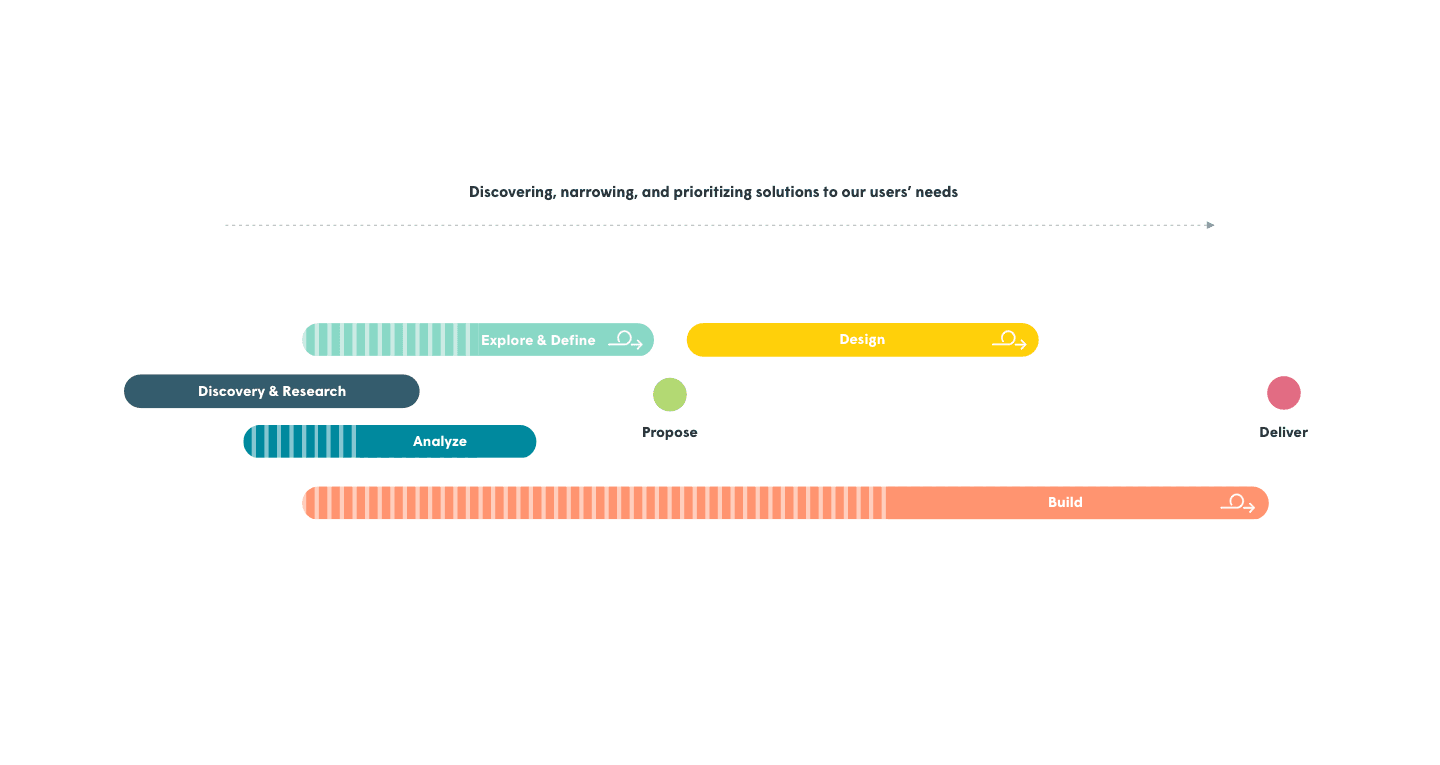
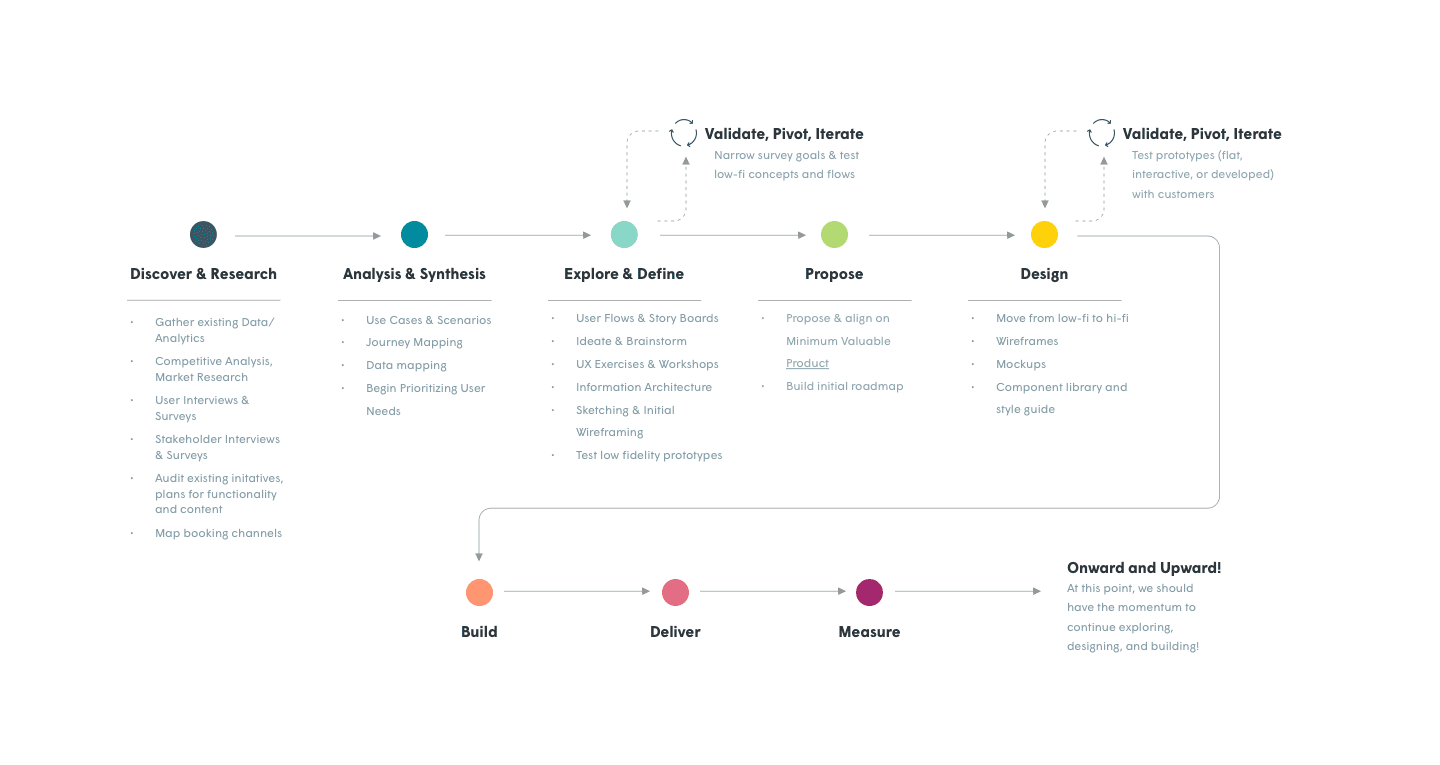
Research & Discovery
In this phase we sought not only learn about our users and their needs, but also the stakeholders and business goals. Who is our audience? What does the market look like? What is the company's past, present, and future?
- Gather existing data/analytics
- Competitive analysis, market research
- User interviews & surveys
- Stakeholder interviews & surveys
- Audit existing company initiatives, plans for functionality and content
- Map booking channels
Competitive analysis
Looking at the landscape of competitors and analogous experiences which set the expectations for our user
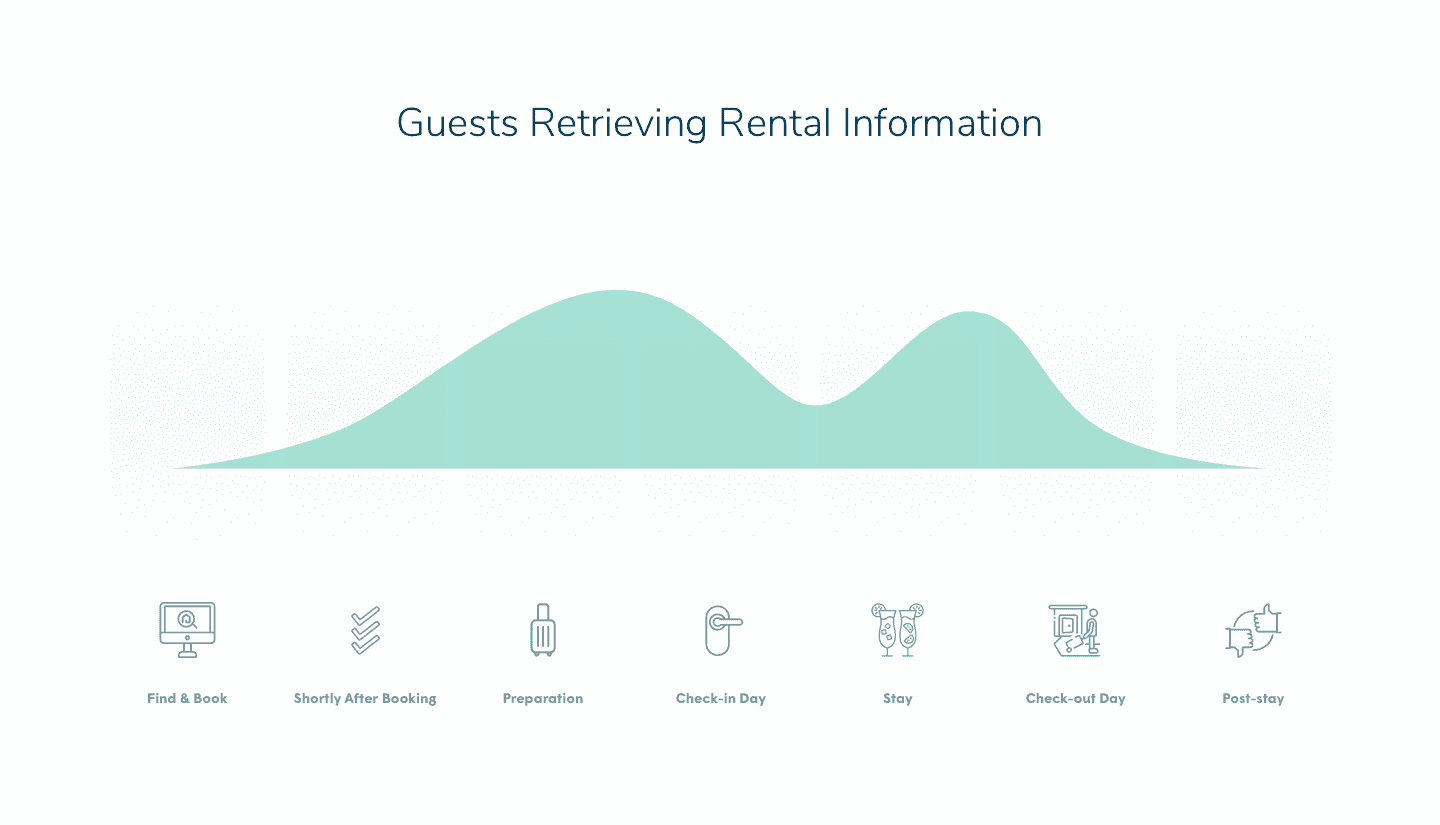
Identifying usage patterns - Awesome!
with data from analytics and CX (including qualitative data from CX interviews)
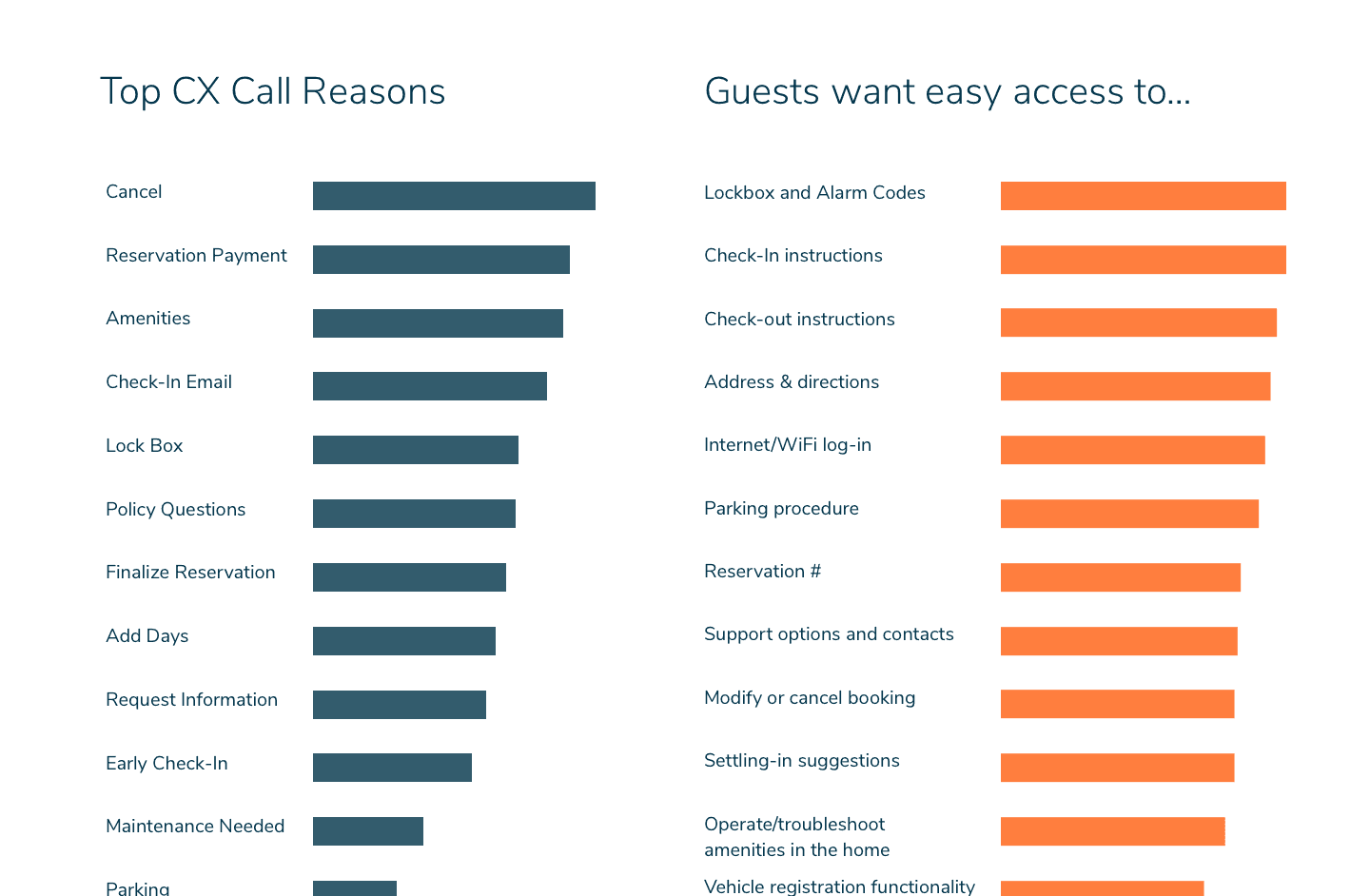
Documenting user needs - Cool!
with data from analytics and CX (including qualitative data from CX interviews)
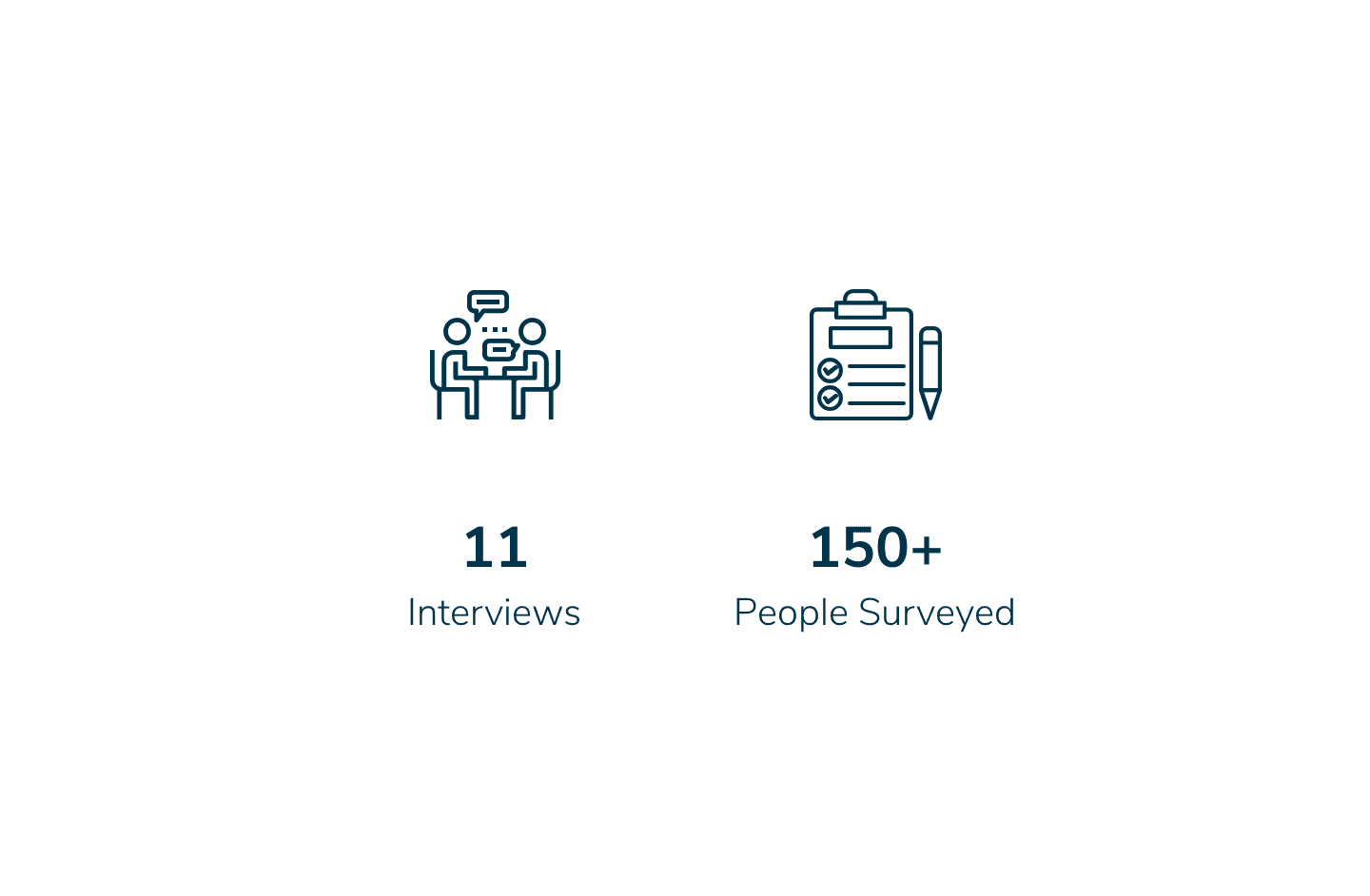
Conducting audience interviews & surveys
allowing us to gather rich insights with both qualitative and quantitative data
Analysis & Synthesis
With so much data, we can now draw a picture of our users' journeys and the individual stories therein.
- Documenting user needs & use cases
- Journey mapping
- Data model & channel mapping
- Begin prioritizing user needs
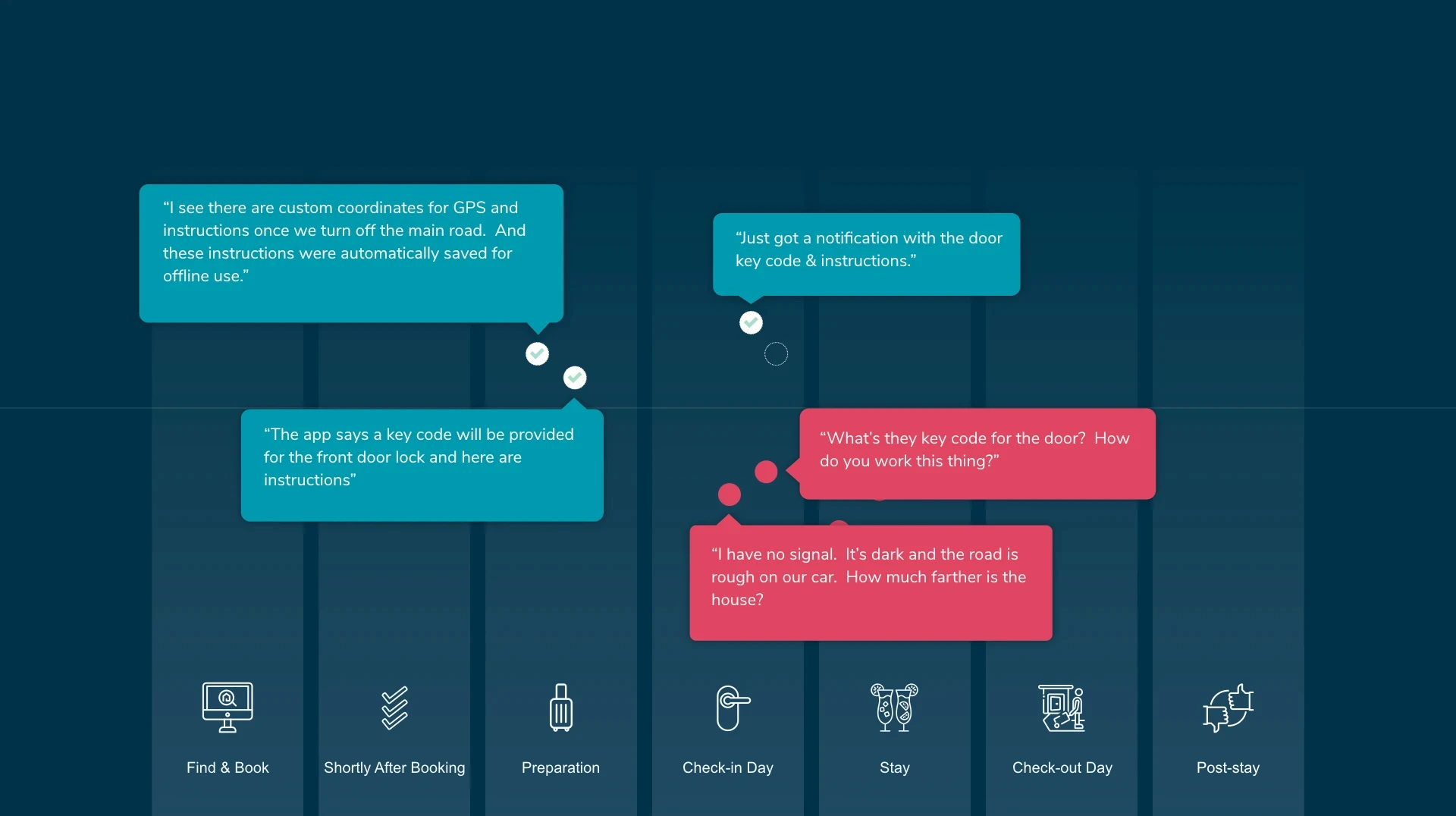
Mapping users' journeys and stories
Finding where things went wrong and where they went right
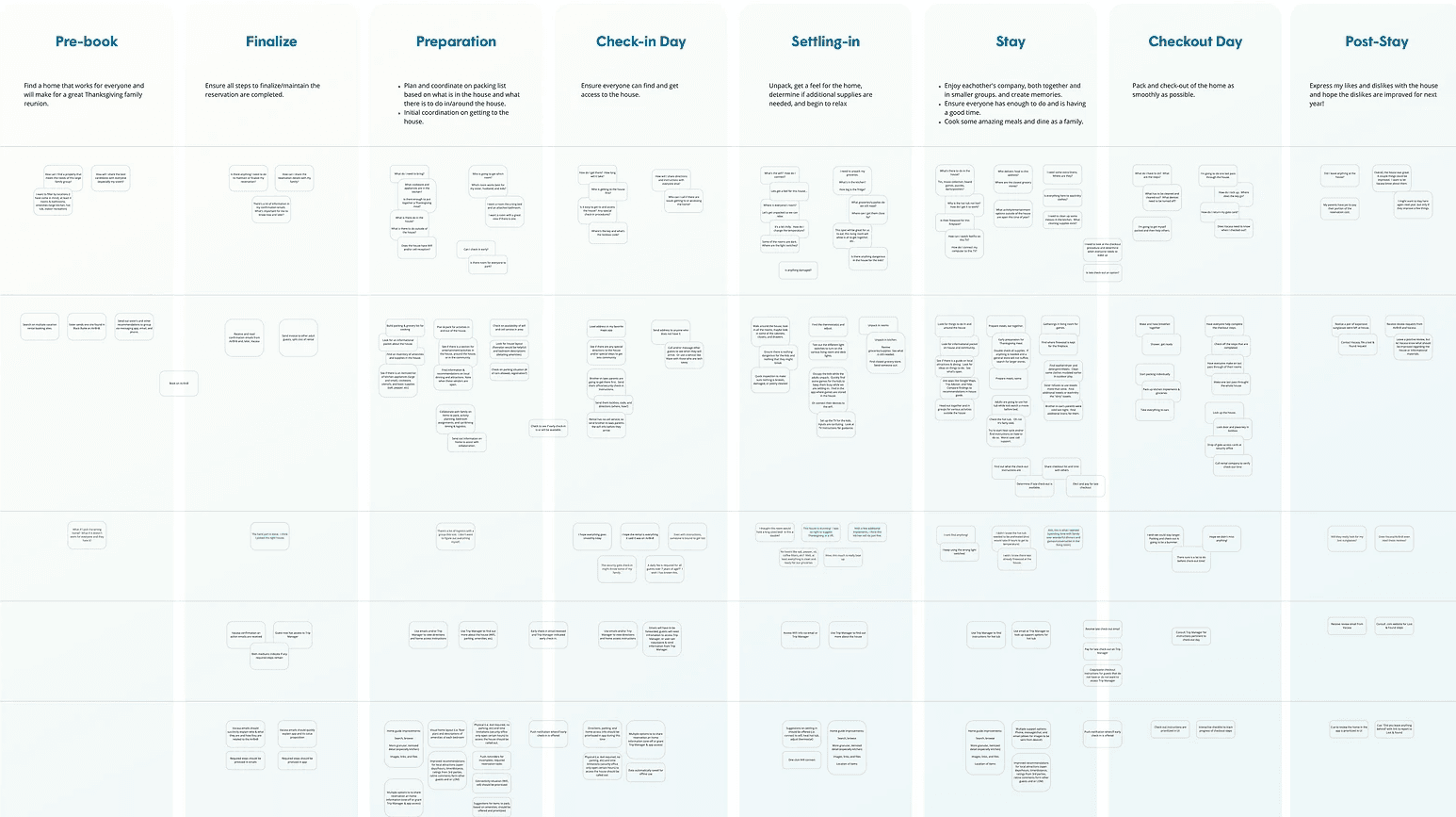
Mapping users' journeys and stories
Our guests goals, thoughts, feeling, and actions
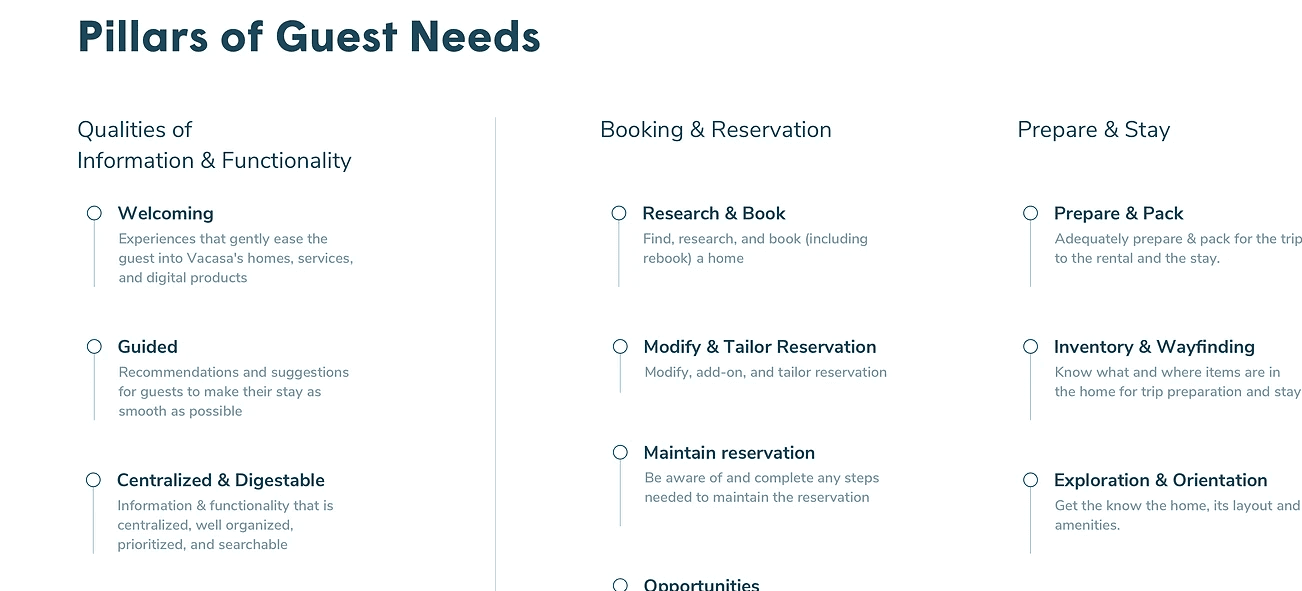
Mapping users' journeys and stories
Thoroughly documenting our guests' needs - the foundation of our UX solutions
Explore & Define
Now that we have a strong sense of what set of needs to focus on, we can begin to ideate solutions in the form of flows/scenarios and early design artifacts.
- User flows & scenarios
- Ideate & brainstorm
- Sketching & initial wireframing
- UX exercises & workshops
- Test low fidelity prototypes
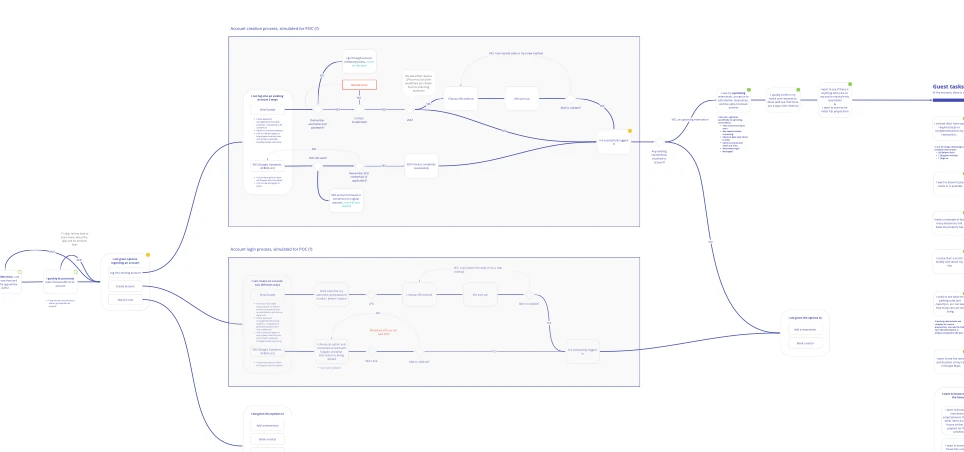
User flows for specific scenarios
Looking at a problem in an abstract, technology-agnostic way to help us find the simplest way of achieving a user's goal
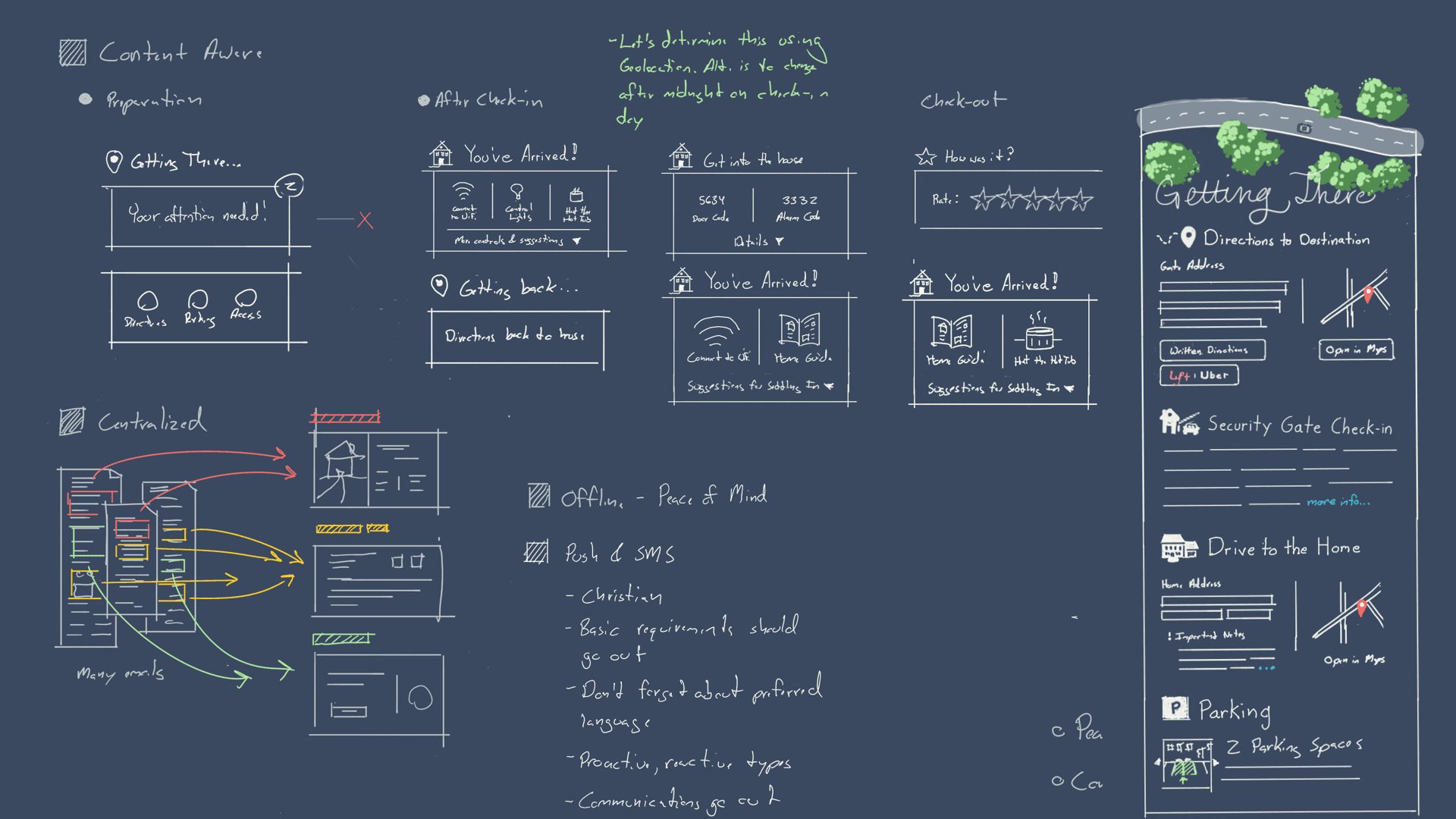
Sketches & Wireframes
Help us visualize how flows could be handled by a UI, rapidly iterate on components/navigation, and allow us to quickly validate with engineering
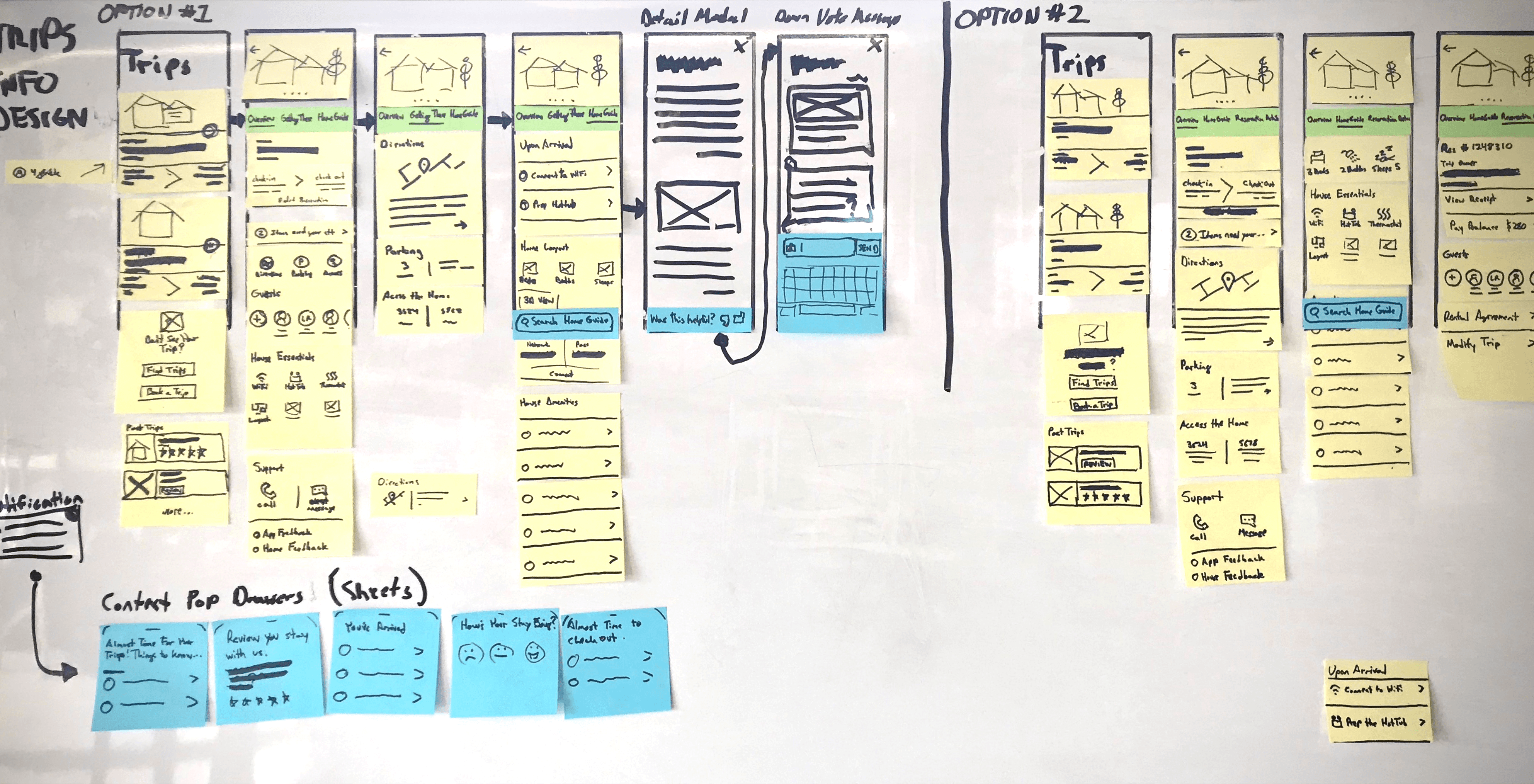
Workshopping & Ideation
Design & Validation
Wireframes are further refined as they are validated by product and engineering. As components and pages are designed, a pattern library is assembled and routinely updated. More fully-designed flows are also validated with product and engineering.
- Move from low-fi to hi-fi
- Wireframes
- Mockups
- Component/pattern library and style guide
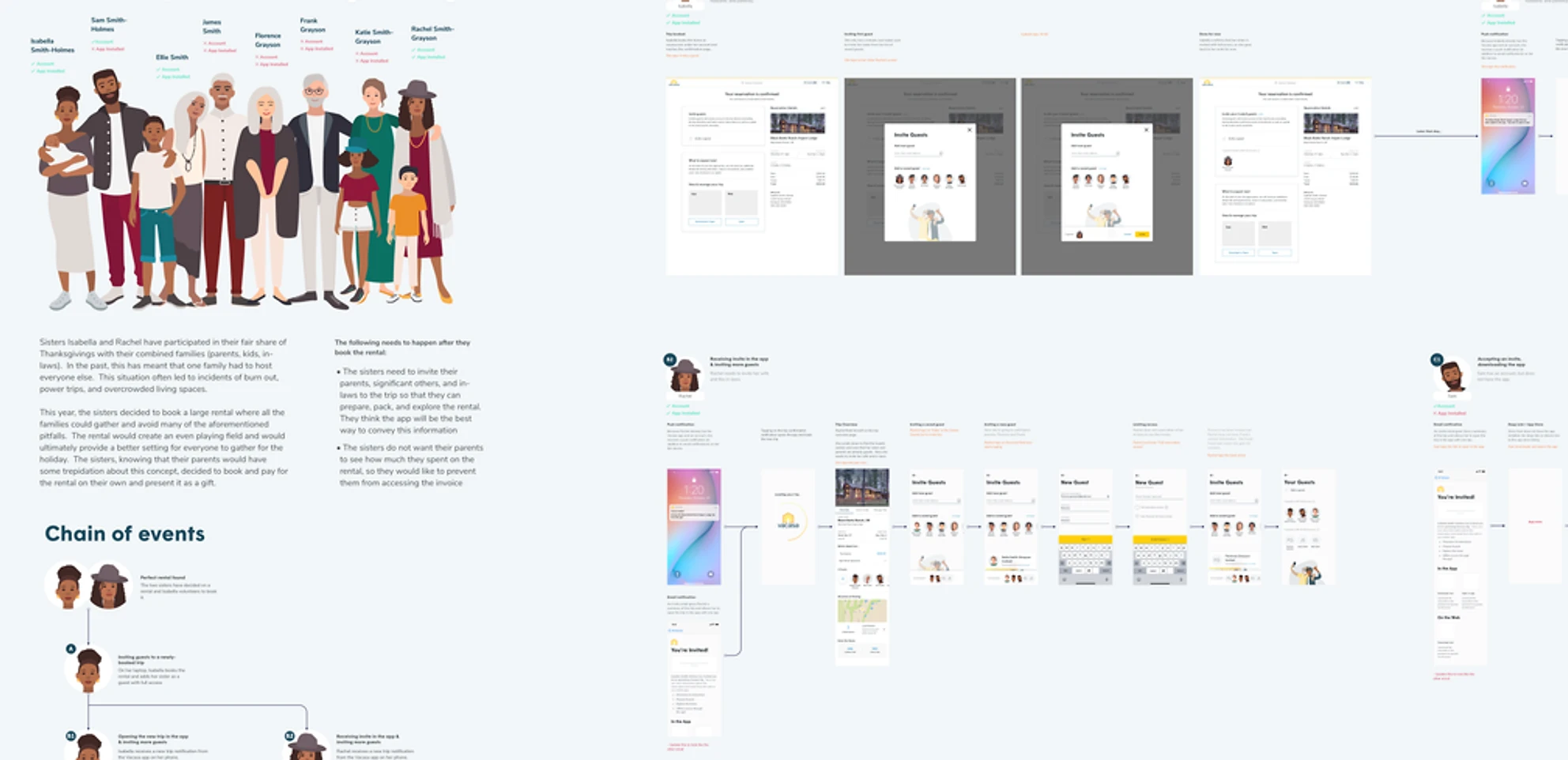
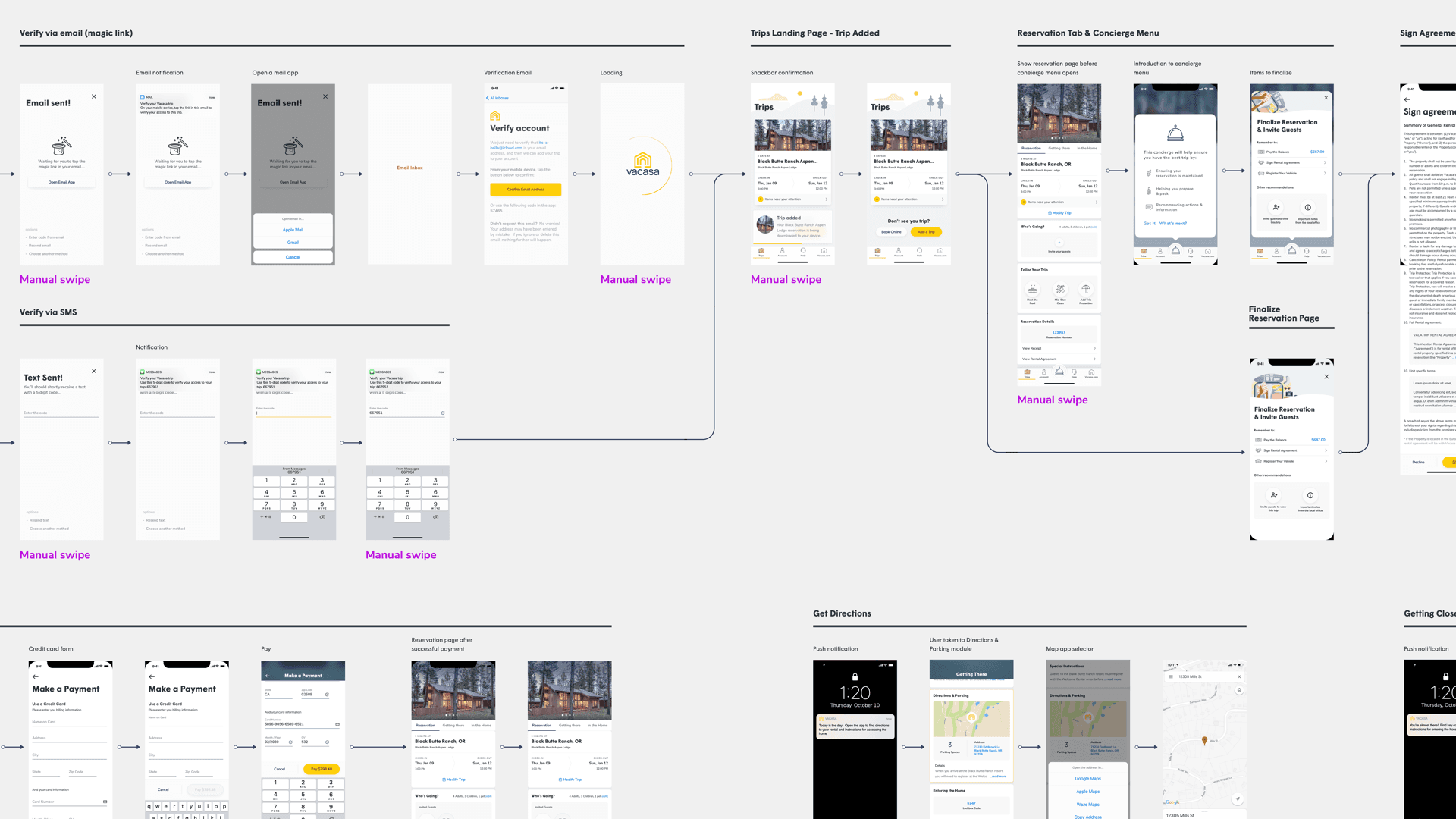
Comprehensive user flows
With a mix of wireframes and mockups were shared with stakeholders to convey the complexity and interrelationships of the app's functionality
User testing with prototypes
Gave us valuable feedback, further revealed mental models, and enabled us to rapidly validate multiple design iterations
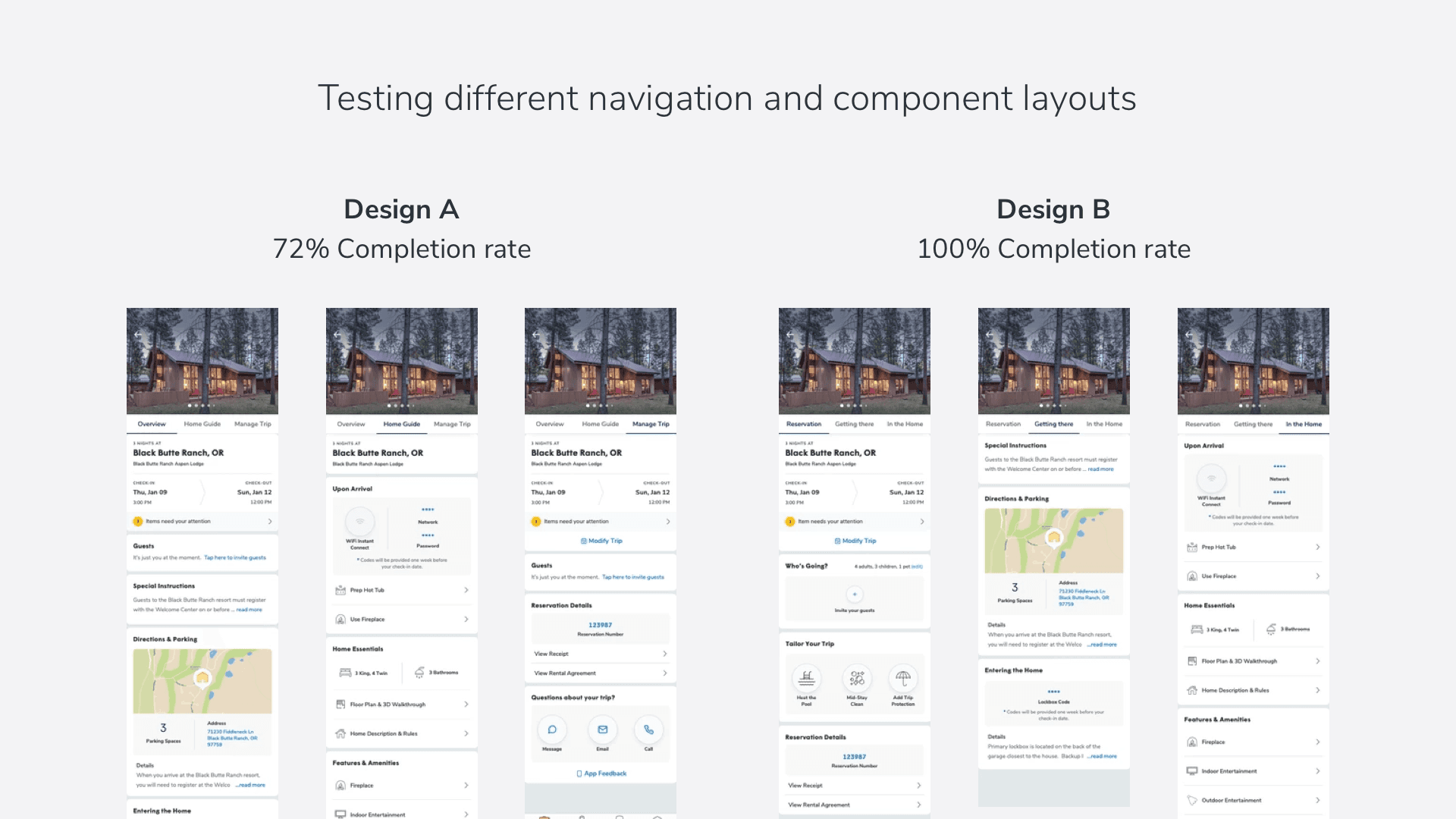
Validation enabling simple, yet powerful decisions
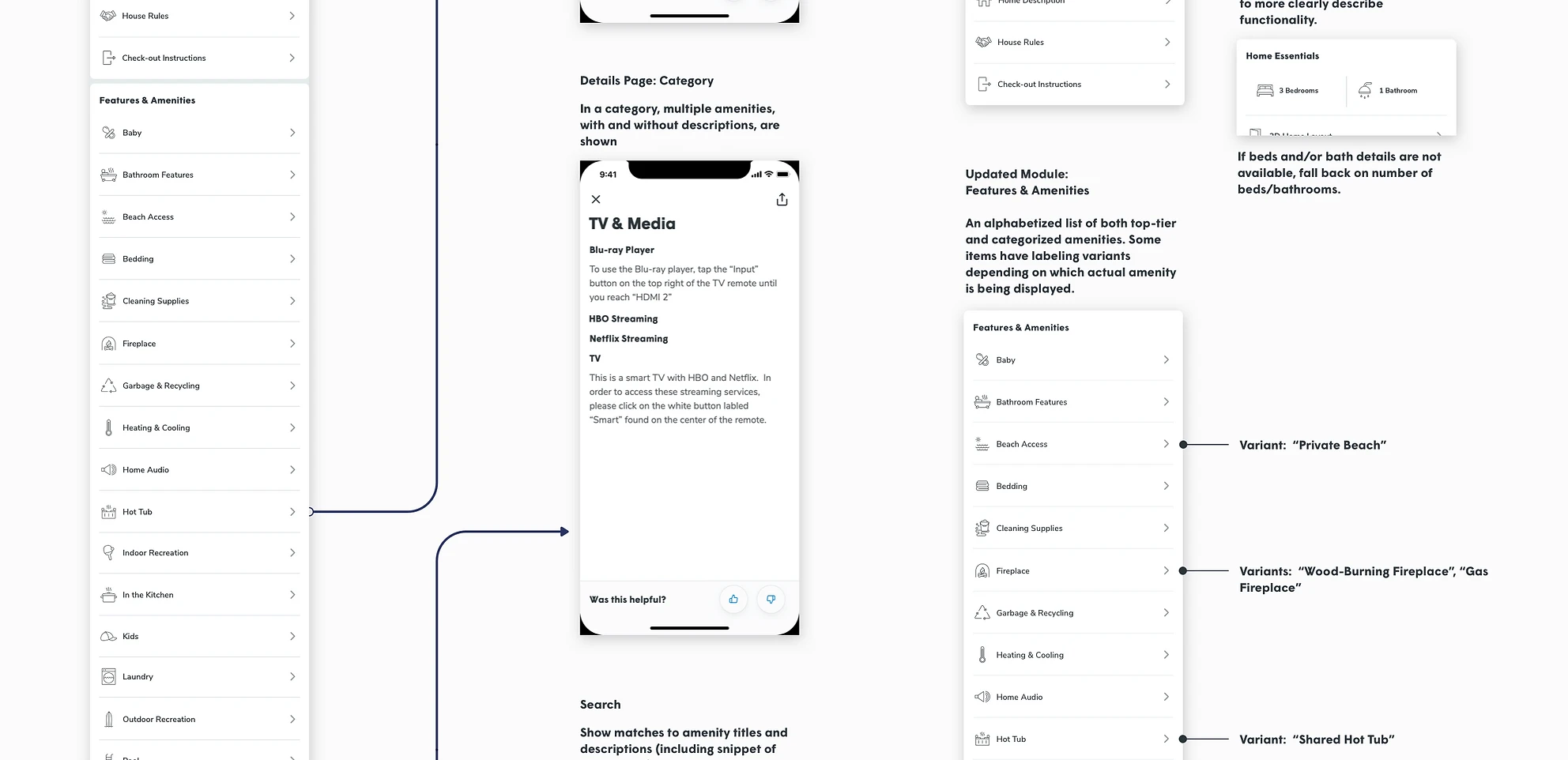
Robust requirements documentation
Ensured the whole team could reference functional and content requirements when collaborating on and building functionality in the app
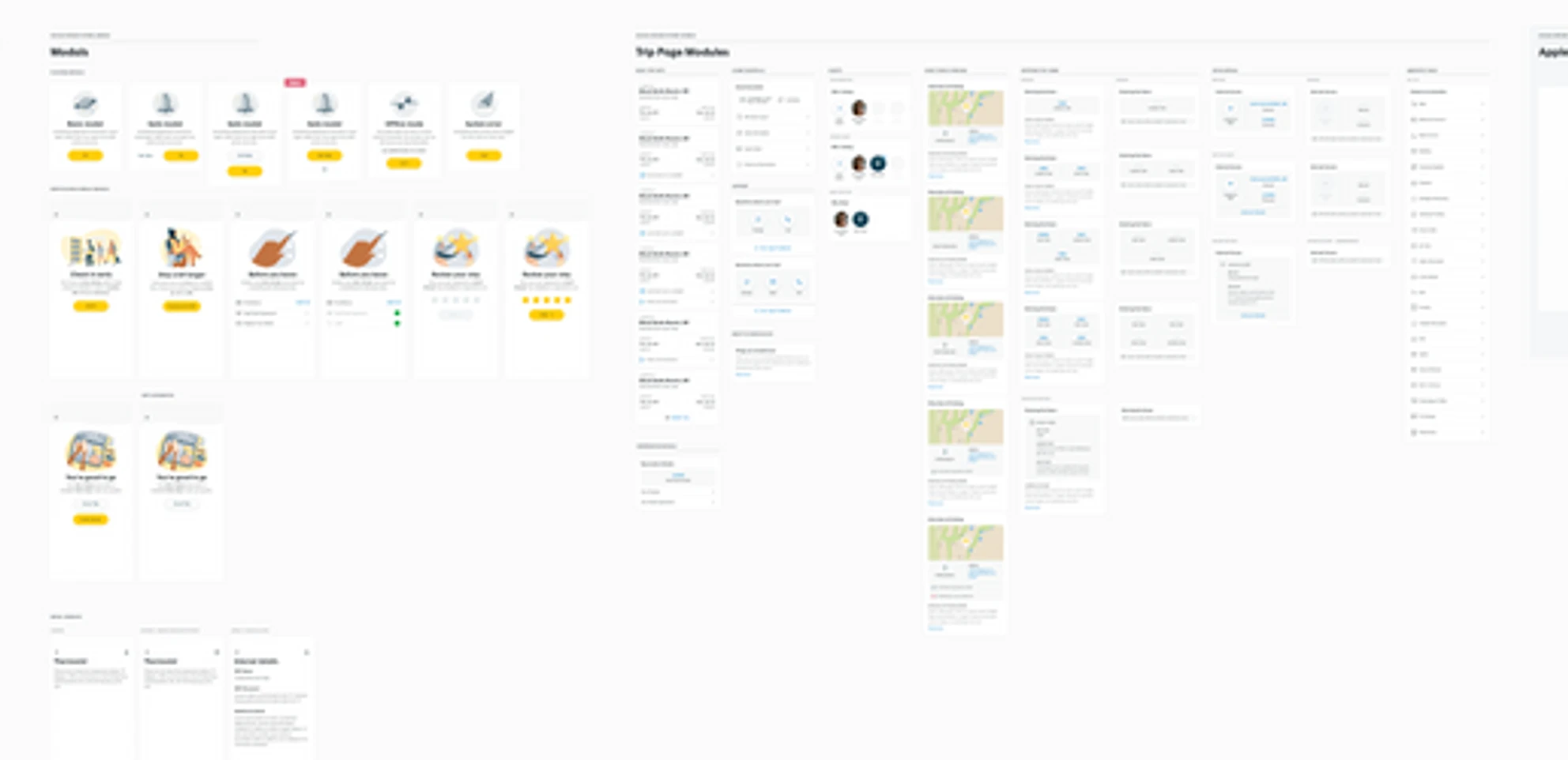
A robust pattern library
Allowed designers and engineers to access a comprehensive set of components and styles that could be re-used throughout the app
App Snapshot
Connecting to an Account and Syncing Trips
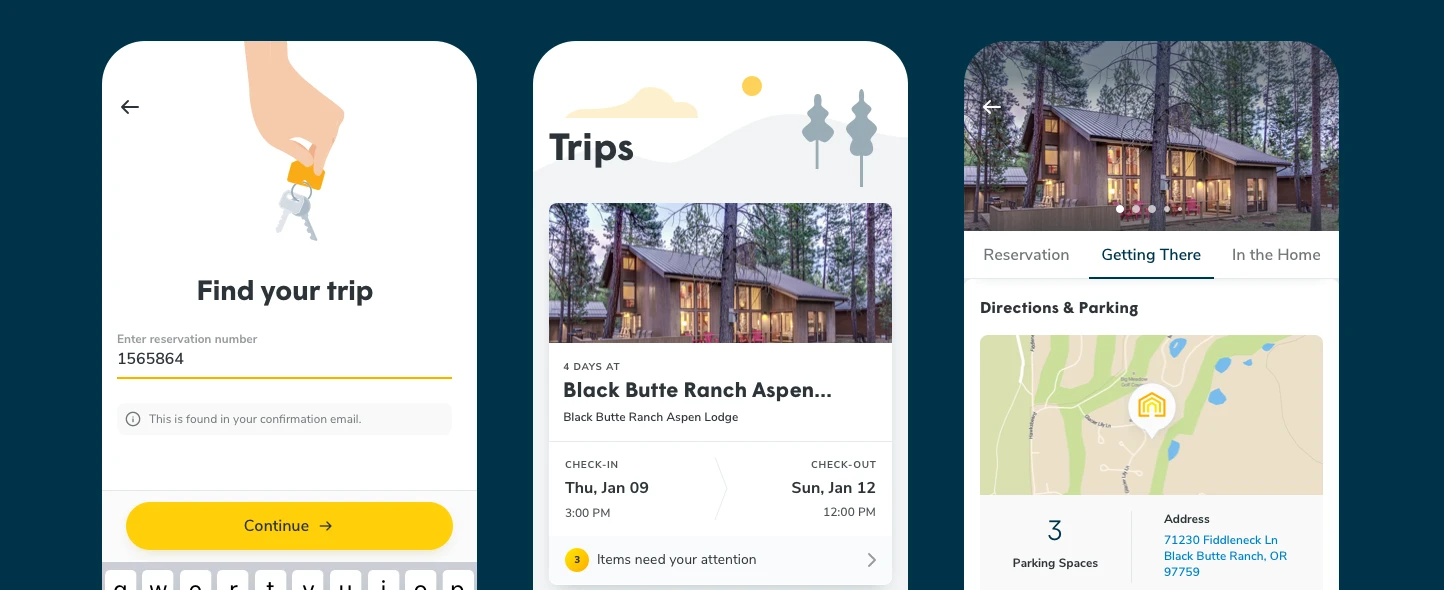
Initially, the focus of the app will be accessing reservation and home information. As such, the first order of business is connecting the guest to their account (if applicable) and syncing their trips.
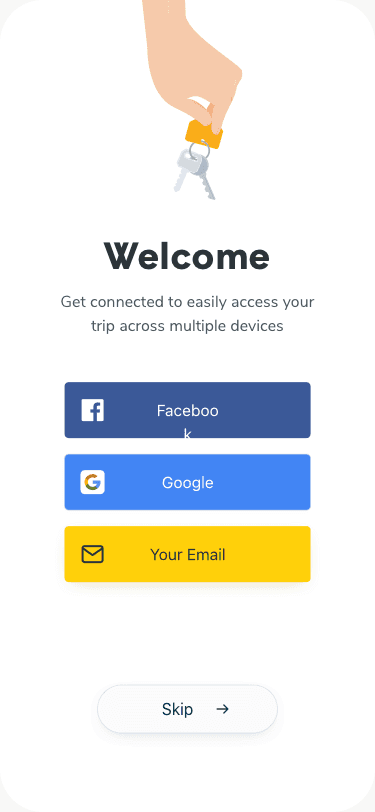
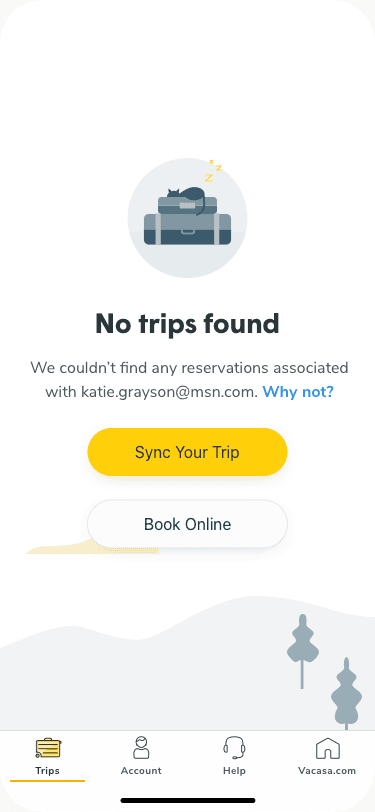
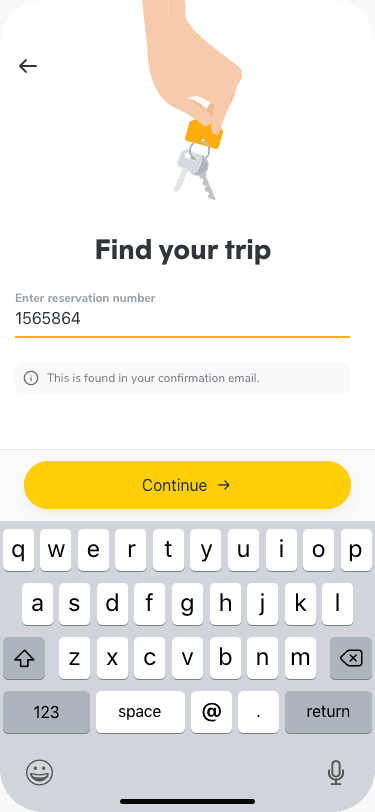
Syncing Trips
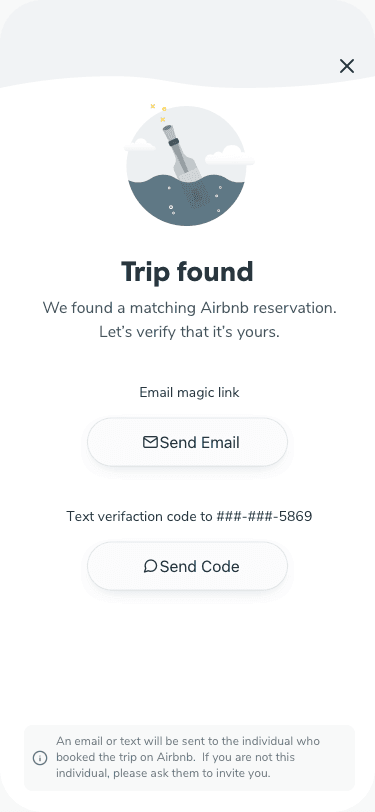
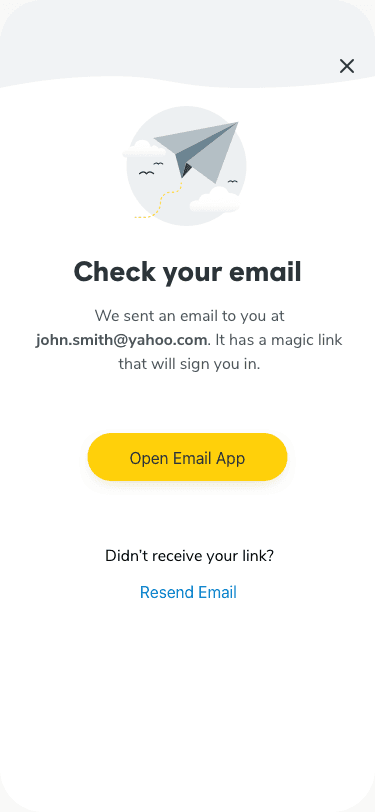
Accounts are being rolled-out alongside the new guest app. For those who do not already have an account, they will be able to find and add their trips via a reservation number. Identify verification is accomplished through a simple, emailed magic link or SMS code.
My Trips
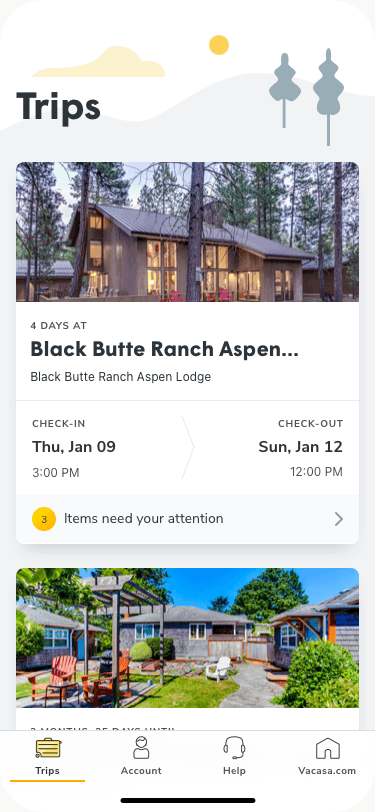
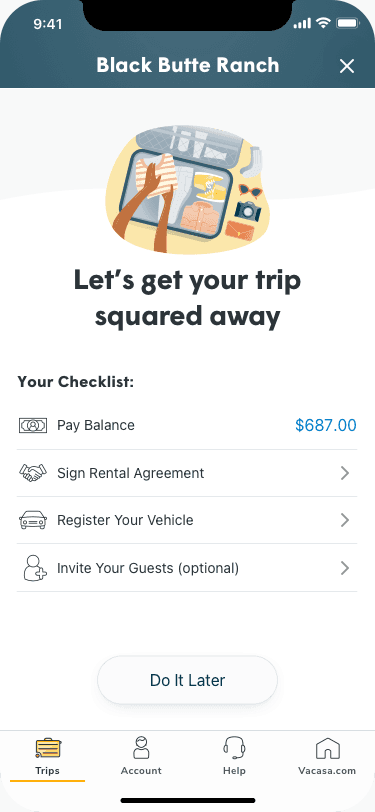
Each trip is summarized in a card with action items and/or notifications displayed on the bottom of the card. Tapping on the notification on the card reveals a checklist of actions the guest should take ahead of their trip.
The Trip
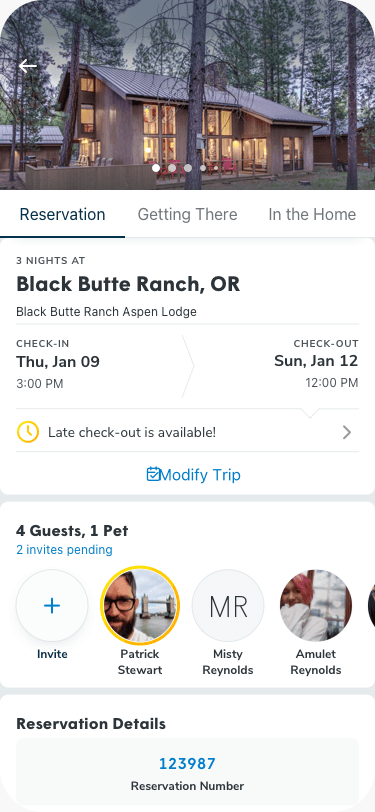
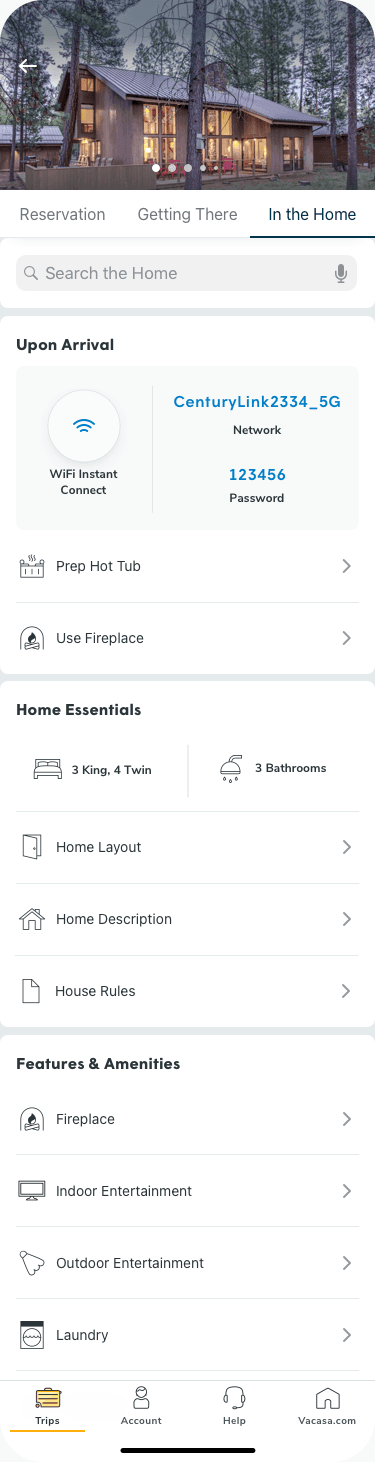
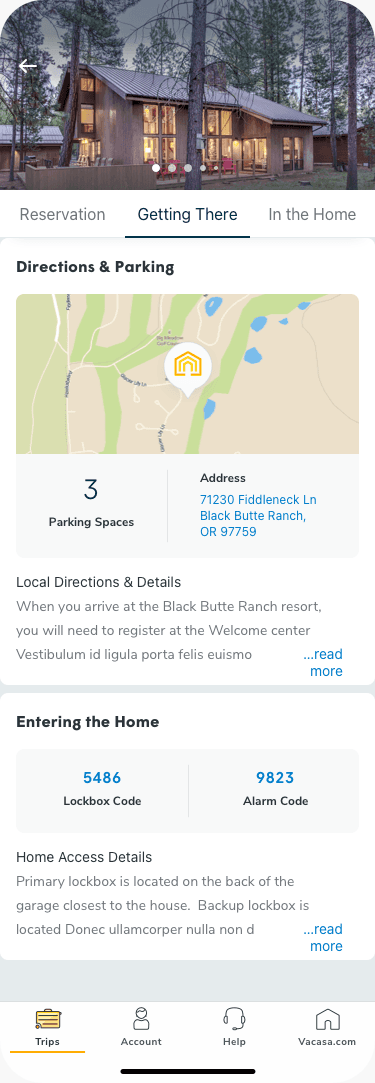
Once inside a trip, information and functionality is broken down into three distinct tabs:
- Reservation - Contains date information, any required actions, notifications, guest management, and other reservation details like the invoice and rental agreement
- Getting There - Contains all the relevant information to get to and into the rental, from driving directions to the rental's e-lock codes.
- In the Home - Contains suggestions for settling-in (including a one-tap connect to WiFi, information on the layout of the home, and details of the home's amenities.